Support access
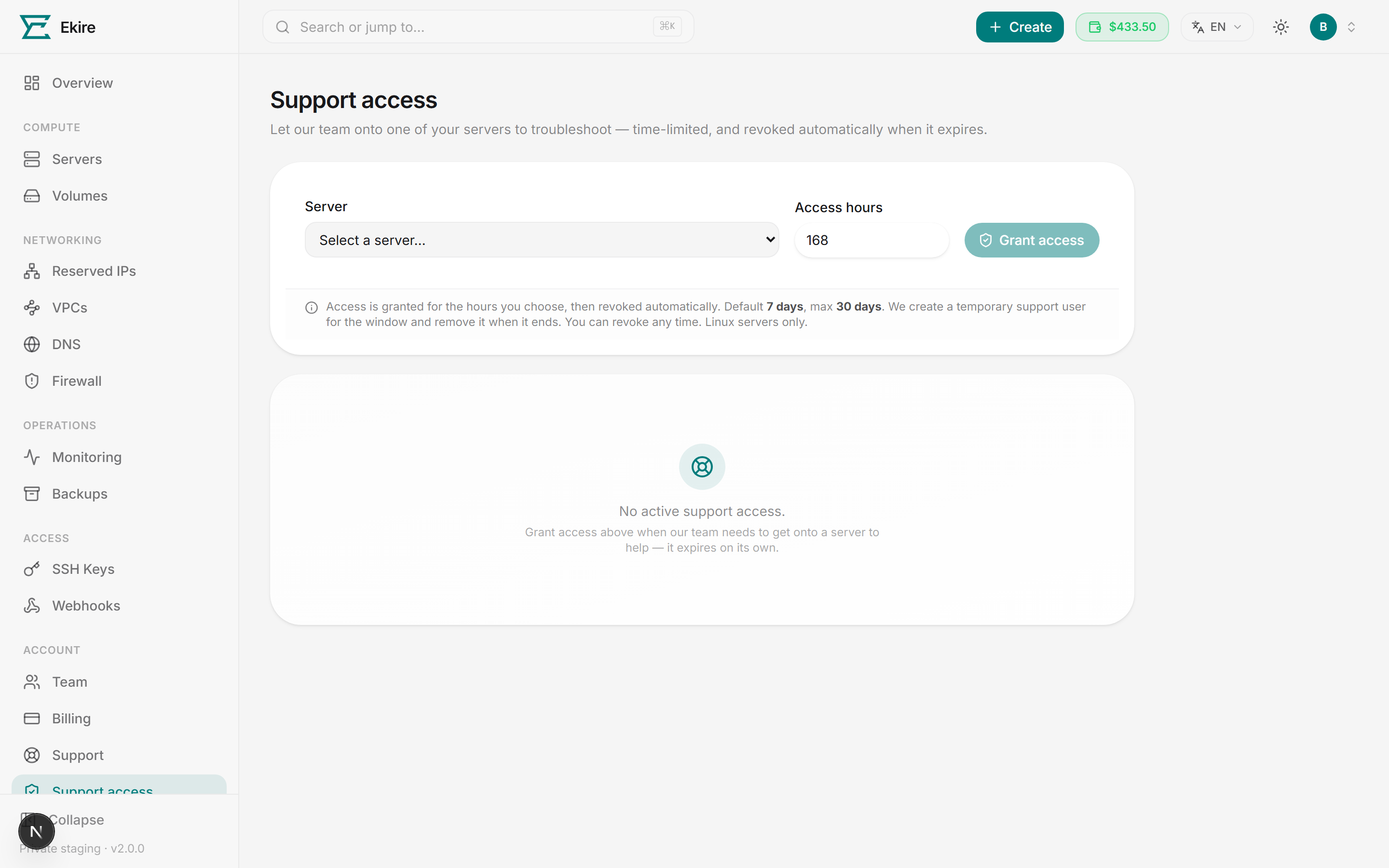
Grant our team a login to one specific server for a number of hours you choose. We troubleshoot alongside you, and the access revokes itself when the window ends — or the moment you revoke it yourself.
How it works
You control the first step and the last:
- You grant access to a single server for a number of hours you choose.
- Our team troubleshoots by signing in as a temporary support user we create just for that window.
- Access revokes automatically when the window ends — or the moment you revoke it yourself. The temporary user is removed, and we're locked out again.
Granting access to a server
Open Support access in the console. At the top you'll pick a server, set how long access should last, and grant it.
Choose a server
Open the Server dropdown and pick the server you want us on. Support access is for Linux servers only, so Windows servers appear in the list but can't be selected — they're shown greyed out as Windows — not supported, and a server that's still provisioning is listed the same way until it's ready. Eligible options show the server's name and its IP address. If you only have Windows servers, a note points you to the VNC console or Remote Desktop instead; if the list reads No eligible servers with nothing greyed out, you don't have a server that qualifies right now.
Set the access window
Enter a number of hours in Access hours. The default is 168 hours (7 days), the maximum is 720 hours (30 days), and the minimum is 1 hour. This is the whole lifetime of the grant.
Grant access
Select Grant access. We create a temporary support user on that server, and the grant appears in the list below with its status and revoke time. The server has to be running with a responsive guest agent for the user to land — if it's off or unreachable, the grant stays Pending and is applied automatically once we can reach the server. One server holds one live grant at a time, so to change the window on a server that already has one, revoke it and grant again.
It expires on its own — and you can end it anytime
A grant only lasts for the hours you set, then it's revoked automatically and the temporary support user is removed. To end it sooner, revoke it at any time — see below.
Grant from the ticket itself
Granting access on its own doesn't tell us what's wrong. Open a support ticket describing the issue, then use the Let our team onto a server card on that ticket to grant access. The grant is attached to the ticket, so the agent handling it sees it. The Support access page is where you review and revoke every grant.
What our team can do
When you grant access, we create a temporary login named ekire-support on that one server, scoped to
your access window. It's a real, time-limited account with sudo — running sudo -i gives our team a root
shell to actually fix things. We get onto the server:
- SSH terminal — an in-browser terminal that connects as
ekire-supportover SSH. The connection uses a server-side key that never leaves our systems. - VNC console — a full graphical console session, where our team signs in at the login screen with the temporary support user.
Either way, the access is confined to the server you picked and disappears when the grant ends. We can't reach any of your other servers through it. Each terminal or console session is also tied to the team member who opened it: if they lose support access on our side, their open session closes within about 30 seconds, even while your grant is still running.
Revoking access early
You don't have to wait for the window to close. In the list of active grants, select the trash icon on the grant you want to end. The console asks you to confirm — revoking means our team loses access to that server and the temporary support user is removed. Confirm, and the grant normally drops off the list right away.
If the server is off or unreachable, the grant sits in Revoking… instead. Our access is already cut at that point, and the temporary user is removed automatically once the server is reachable again.
The audit trail
Every active grant is listed with the server, the temporary support user we created, its current status, when it was granted, and when it revokes. The table shows live grants only — once a grant ends or expires, it drops off the list. If a grant fails to apply — the server was gone, turned out to be Windows, or we lost its stored credentials — a short notice appears above the table telling you which server and why, so you're not left thinking access is still coming. That notice clears once you have a fresh live grant for that server, or after a day.
A live grant moves through a few states:
| Status | What it means |
|---|---|
| Pending | The grant exists, but the temporary user isn't on the server yet — usually because the server is off or unreachable. We keep retrying, and it flips to Active once it lands. |
| Active | Access is live — our team can sign in to the server. |
| Revoking… | You revoked early, or the window ended; the access is being torn down. |